

I've been fixing quite a few package CVEs in Node.js projects at work lately, so I wanted to write down the decision process while it's still fresh. The first time I saw CVEs, Fixed Version fields, and long node_modules paths in a scan report, all I knew was “some packages need upgrading.” I had no idea how to go about it. For the first few fixes, I kept looking things up and asking AI for help. After working through several dependency setups, I started to see the pattern: fixing Node.js package vulnerabilities means reading the dependency tree, checking version ranges, and choosing the smallest safe change. The options differ considerably depending on whether the vulnerable package is a direct dependency, a transitive dependency, pinned to an exact version, or no longer maintained. I'll walk through the situations I've encountered and worked through, so you can see the reasoning behind each decision.
This post focuses on projects using Yarn Classic (Yarn 1). Fixes involve editing package.json and yarn.lock, then using Yarn to install or upgrade packages. Yarn Berry, npm-only projects, and pnpm each have their own lockfiles and override mechanisms. Don't mix the Yarn commands here into those workflows as-is.
The First Decision in a Scan Report: Identify the Source
As I mentioned in Finding Security Vulnerabilities Earlier in Development with Trivy, mainstream vulnerability scanners generally detect both OS packages (os-pkgs) and language ecosystem packages (lang-pkgs).
For language packages:
- If
PkgPathlooks likeusr/src/app/node_modules/axios/package.json, the package was installed through the project'spackage.jsonand lockfile. You can usually fix this by upgrading project dependencies, adjusting resolved versions, or replacing a parent package. This is what the post focuses on. - By contrast,
usr/local/lib/node_modules/npm/node_modules/...usually belongs to npm itself, which comes with the Node.js base image. The scanner can find these packages in the image even if your project doesn't use them. Changingpackage.jsonwon't help. Instead, check whether a patched Node base image is available, or upgrade npm inside the image according to your team's policies.
Understanding the Project's Dependencies
Once I've confirmed that the vulnerability belongs to the application's dependencies, the first thing I do is locate it in the dependency tree. It might be a package the project installs directly, or one brought in by a direct dependency.
Direct and Transitive Dependencies
Suppose the root package.json contains only this declaration:
{
  "dependencies": {
    "react-router-dom": "^6.30.2"
  }
}
react-router-dom is a direct dependency because it's listed in the root package.json. The react-router and @remix-run/router packages it installs are transitive dependencies. After installation, the logical relationships look like this:
my-app
└─ react-router-dom@6.30.2                 # Direct dependency
   ├─ @remix-run/router@1.23.1             # Transitive dependency
   └─ react-router@6.30.2
      └─ @remix-run/router@1.23.1 (deduped)
deduped means the two paths share one installed copy of the package, rather than installing a second copy of @remix-run/router. There are still two logical dependency paths, though. When multiple parents are involved later, we need to check both.
Reading yarn.lock
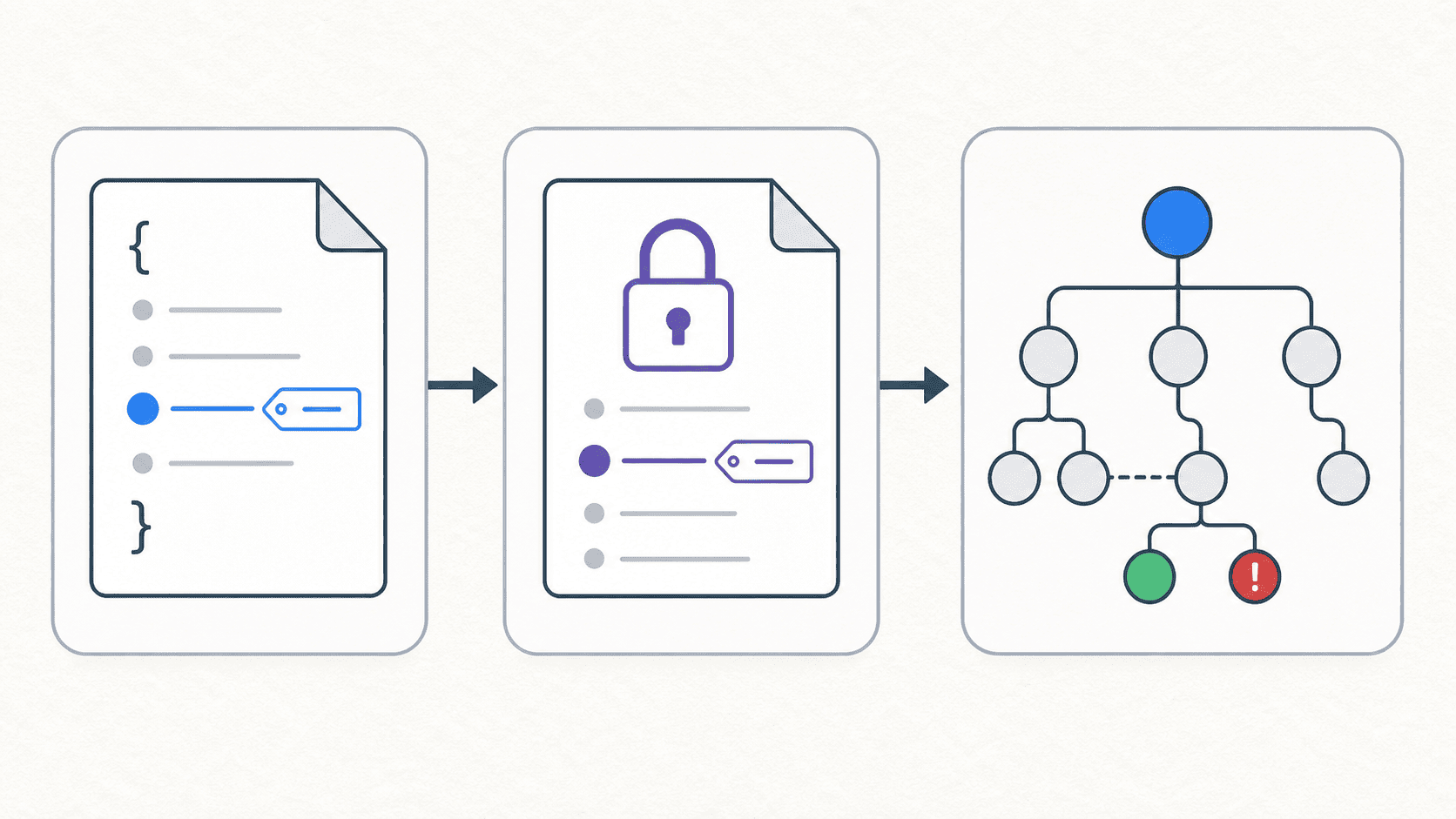
One thing that often trips up beginners is treating a version declaration in package.json, such as 6.30.2, as “the currently installed version.” What the manifest declares is the acceptable version range. On the first install, Yarn selects a version within that range and records the result in yarn.lock. The field we actually need to compare with the scan report is the lockfile's version:
react-router-dom@^6.30.2:
  version "6.30.2"
  resolved "https://registry.yarnpkg.com/react-router-dom/-/react-router-dom-6.30.2.tgz"
  dependencies:
    "@remix-run/router" "1.23.1"
    react-router "6.30.2"
The first line of a lockfile entry identifies the version range being resolved. version is the version actually selected for this installation. The parent's dependencies block records the ranges it allows or requires for its child packages. Here's a fictional example we'll use throughout the post:
package-a@^1.1.0:
  version "1.1.0"
  dependencies:
    vulnerable-lib "^1.0.0"

vulnerable-lib@^1.0.0:
  version "1.0.3"
This means package-a allows any version of vulnerable-lib from 1.0.0 up to, but excluding, 2.0.0. Yarn can therefore resolve it to 1.0.9. If the declaration were the exact version "1.0.3", moving to 1.0.9 wouldn't be an upgrade within the allowed range. That's a constraint we need to check before fixing a transitive dependency.
^1.0.0means>= 1.0.0and< 2.0.0.~1.0.0means>= 1.0.0and< 1.1.0.1.0.3accepts only1.0.3itself.
Commands I Use to Investigate Vulnerabilities and Dependencies
With the dependency tree and lockfile in mind, we need a few more facts: which version is safe, what currently brings the package in, what range the parent allows, and whether a newer parent already includes the fix. I still use npm for queries in Yarn Classic projects because the tree output from npm ls is easy to read. These are read-only queries; they don't change package.json or yarn.lock.
Start with yarn audit to Find the Vulnerability and Minimum Patched Version
If I'm investigating from the project itself, I start with:
yarn audit
The output changes as the vulnerability database changes. In practice, I mainly look at Package, Patched in, Dependency of, and Path:
┌───────────────┬────────────────────────────────────┐
│ Package       │ vulnerable-lib                     │
│ Patched in    │ >= 1.0.9                           │
│ Dependency of │ package-a                          │
│ Path          │ package-a > vulnerable-lib         │
└───────────────┴────────────────────────────────────┘
For an image scan, I use the report's PkgName, InstalledVersion, FixedVersion, and PkgPath to establish the same facts. Either way, this step only tells us which version is vulnerable and the minimum safe version. It doesn't yet tell us which package to change.
Use npm ls to Find the Current Parents
Next, I look up every path to the vulnerable package in the current installation. Take @remix-run/router@1.23.1 as an example:
npm ls @remix-run/router
my-app@1.0.0 /path/to/my-app
└─┬ react-router-dom@6.30.2
  ├── @remix-run/router@1.23.1
  └─┬ react-router@6.30.2
    └── @remix-run/router@1.23.1 deduped
This rules out the instinctive approach of “just upgrade @remix-run/router.” The root project directly installs react-router-dom; @remix-run/router is a transitive dependency it brings in. The deduped marker also helps us see whether the same vulnerability enters the project through more than one path.
Use npm info to Check the Parent's Ranges and Available Upgrades
Once I know the parent, I check exactly how its currently installed version declares the child:
npm info react-router-dom@6.30.2 dependencies
{
  '@remix-run/router': '1.23.1',
  'react-router': '6.30.2'
}
1.23.1 is an exact version. Yarn can't float it to 1.23.2. So even if the scan calls for @remix-run/router >= 1.23.2, deleting its lockfile entry won't fix the problem. We need to check for a newer parent:
npm info react-router-dom versions
[
  ...,
  '6.30.1',
  '6.30.2',
  '6.30.3',
  ...
]
Finally, I check the candidate version's dependencies:
npm info react-router-dom@6.30.3 dependencies
{
  '@remix-run/router': '1.23.2',
  'react-router': '6.30.3'
}
Now we can identify react-router-dom@6.30.3 as the upgrade that brings in the fix, rather than forcing an override on @remix-run/router. Each transitive dependency case below follows these same four questions.
Fixing Vulnerabilities in Direct Dependencies
If the vulnerable package is already listed in the root package.json, it's usually easier to trace and fix. The decision process below breaks down into five situations:
Case 1: A Patch Upgrade Is Enough
Suppose the root package.json declares "http-client": "^1.6.0", and the scanner requires http-client >= 1.6.8. http-client is a direct dependency, and 1.6.8 is still within ^1.6.0. This is the simplest case.
I'd explicitly raise the minimum acceptable version:
yarn upgrade http-client@^1.6.8
Case 2: A Minor Upgrade Fixes It, but Could Hide a Breaking Change
Suppose the root package.json has build-helper@3.1.0, and the fix is in 3.4.0. In theory, a package following SemVer shouldn't break existing APIs in a minor release. In practice, the npm ecosystem isn't always that reliable. Build tools, bundlers, lint plugins, and framework plugins in particular may change defaults, output formats, or peer dependency requirements.
I'd still start by upgrading the package as a minor update:
yarn upgrade build-helper@^3.4.0
But I'd also:
- Read the changelog and release notes.
- Run unit tests, the build, lint, and end-to-end tests.
- Specifically test the core workflow that depends most heavily on the tool.
Case 3: A Major Upgrade Is Required, but the Project Uses Only a Few APIs
Suppose the root package.json has report-kit@1.x, and only 2.0.0 fixes the vulnerability. The project happens to use just a few of its APIs, so the upgrade requires only a small amount of code to change.
The usual approach is to upgrade the major version first:
yarn upgrade report-kit@^2.0.0
Then:
- Update the code according to the migration guide.
- Add tests for the changes and confirm that the generated reports still meet requirements.
- Specifically test the core workflow that relies most heavily on the tool.
Case 4: A Major Upgrade Is Required, but the Project Is Tightly Coupled to the Old Version
Now suppose the root package.json has legacy-bundler@4.x, and fixing it requires 5.x. But the project's loaders, plugins, CI configuration, and deployment artifacts are all tightly tied to v4. “Upgrading one package” has become a migration of the build process.
I'd turn this from a routine vulnerability fix into a dedicated upgrade task:
- Identify the breaking changes and every place the package is used.
- Create a separate branch.
- Centralize usage behind wrappers.
- Upgrade the major version and adapt the code step by step.
- Add the necessary tests and deployment checks.
- Test and merge in stages.
If the customer's release schedule doesn't allow us to finish it all at once, we'd usually:
- Document the conditions needed to exploit the vulnerability.
- Confirm the compensating controls already in place.
- Set an expiration date for accepting the risk.
- Schedule the upgrade as a formal task.
If the vulnerability only affects a CLI build tool that never runs in production, accepting the risk temporarily may be reasonable. But if the package handles external input on a production server, leaving it unresolved for a long time is a different matter.
Case 5: The Package Is Unmaintained and Has No Fix
Suppose old-excel-reader@0.18.5 hasn't been maintained in years, and the scanner provides no Fixed Version. The biggest problem here isn't that upgrading is difficult. There's simply no upgrade to make.
I usually evaluate the options in this order:
- Check whether the functionality is still used. Remove it if possible.
- If it can't be removed, look for an actively maintained replacement.
- Consider forking and patching it ourselves only if replacement would be too costly.
- If temporarily accepting the risk is the only option, document at least whether the vulnerability is exposed to external input, whether it runs in production, what compensating controls exist, and when we'll reassess it.
Fixing Vulnerabilities in Transitive Dependencies
For direct dependencies, we can start with the root package.json. Transitive dependencies add another constraint: the compatibility range declared by the parent. This was the part I initially found most complicated, but it turned out to follow the clearest pattern. To keep installed versions separate from declared ranges, the version numbers in the trees below are the currently installed versions. The comments at the end of each line show the parent's declared range.
Case 1: The Fix Is Within the Parent's Allowed Range
Suppose the current dependency tree looks like this. The scan reports a vulnerability in vulnerable-lib@1.0.3 and requires at least 1.0.9:
my-app
└─ package-a@1.1.0
   └─ vulnerable-lib@1.0.3   # package-a declares: ^1.0.0
^1.0.0 allows 1.0.9, so the parent itself doesn't need an update. The lockfile is simply holding on to an old resolution.
The Yarn Classic lockfile entry might look like this:
vulnerable-lib@^1.0.0:
  version "1.0.3"
  resolved "https://registry.yarnpkg.com/vulnerable-lib/-/vulnerable-lib-1.0.3.tgz"
  integrity sha512-...
After confirming that every version range referencing this entry accepts the safe version, I'd remove just this complete entry in a separate commit, then run:
yarn install
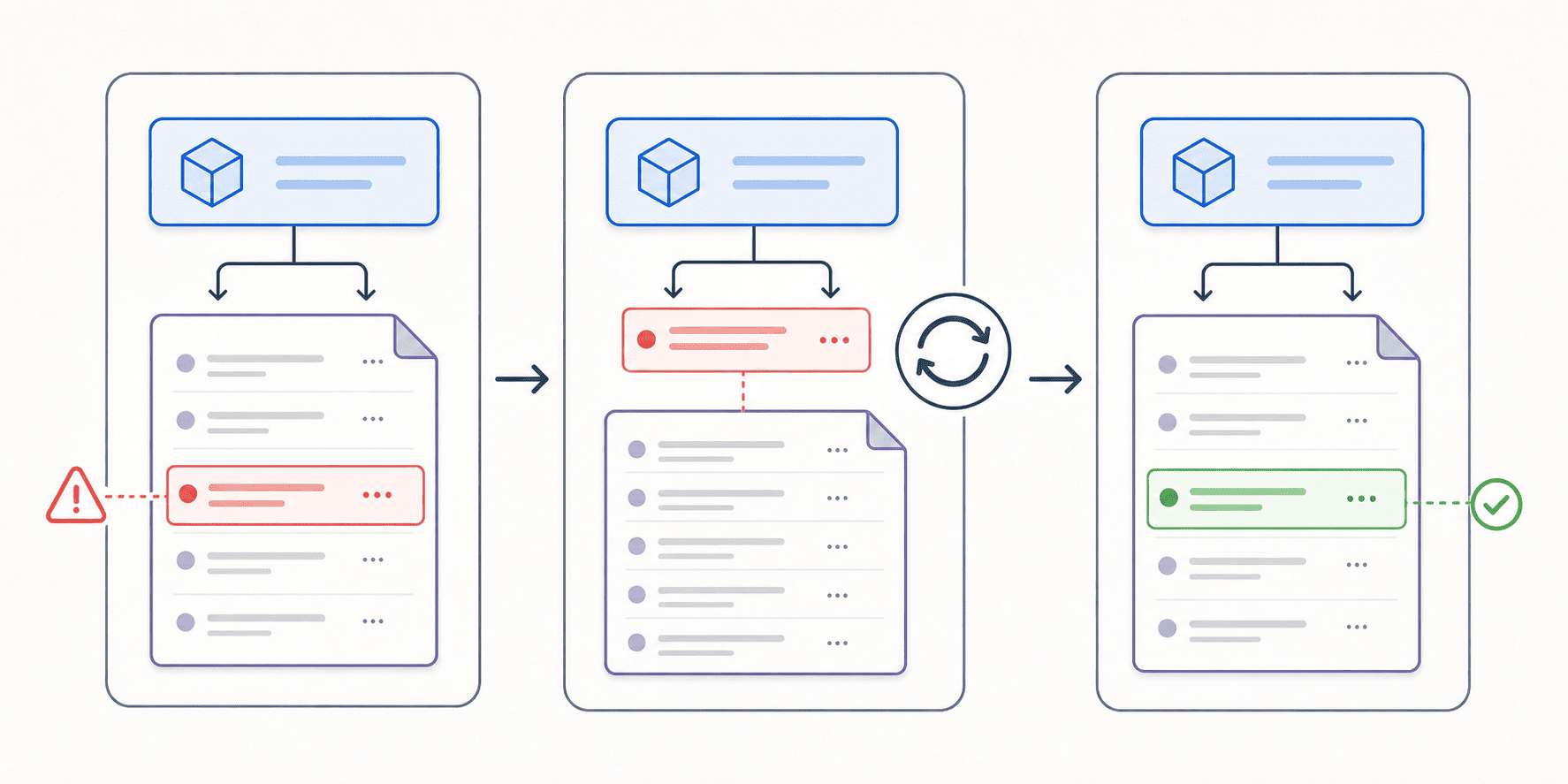
When yarn install finds no lockfile resolution for that range, it selects a version from the registry that satisfies ^1.0.0. If the latest safe version available is 1.0.9, Yarn writes the entry back as:
 vulnerable-lib@^1.0.0:
-  version "1.0.3"
-  resolved "https://registry.yarnpkg.com/vulnerable-lib/-/vulnerable-lib-1.0.3.tgz"
-  integrity sha512-...
+  version "1.0.9"
+  resolved "https://registry.yarnpkg.com/vulnerable-lib/-/vulnerable-lib-1.0.9.tgz"
+  integrity sha512-...
The entry's key is still vulnerable-lib@^1.0.0, because the parent's requirement hasn't changed. What changed is the actual version Yarn selected within that range. After reinstalling, I'd run npm ls vulnerable-lib again to confirm that it really shows 1.0.9.
yarn.lockDeleting the whole lockfile and reinstalling re-resolves every dependency that can float. That creates a huge diff and makes it hard to tell which change fixed the vulnerability. Here, the goal is only to update one resolution we've confirmed can move safely.
Don't use --frozen-lockfile for this re-resolution: its purpose is to prevent lockfile updates. Once the safe version is recorded and checked, CI should continue using --frozen-lockfile for reproducible installs.
Case 2: The Old Parent Excludes the Fix, but a Newer Parent in the Same Major Supports It
Suppose the installed package-a@1.1.4 only allows vulnerable-lib v1. Every 1.x version is vulnerable, and the first safe version is 2.0.0:
my-app
└─ package-a@1.1.4
   └─ vulnerable-lib@1.0.3   # package-a declares: ^1.0.0
Upgrading the child directly to v2 crosses the parent's compatibility boundary.
But checking the newer parent reveals that package-a@1.2.0 now declares vulnerable-lib@^2.0.0. The package to upgrade is the parent:
npm info package-a@1.1.4 dependencies
npm info package-a@1.2.0 dependencies
yarn upgrade package-a@^1.2.0
The resulting tree becomes:
my-app
└─ package-a@1.2.0
   └─ vulnerable-lib@2.0.0   # package-a declares: ^2.0.0
Because the new package-a has updated its own dependency range, it naturally brings in the patched vulnerable-lib. Our project only needs to verify whether the minor upgrade of package-a affects how we use it.
Case 3: Only a Major Upgrade of the Parent Brings in a Safe Child
If every package-a@1.x depends on vulnerable-lib@1.x, and only package-a@2.x switches to v2, the relationship looks like this:
my-app
└─ package-a@1.8.0
   └─ vulnerable-lib@1.0.3   # package-a declares: ^1.0.0

Target after remediation
my-app
└─ package-a@2.0.0
   └─ vulnerable-lib@2.0.0   # package-a declares: ^2.0.0
This takes us back to case 3 or 4 under major upgrades of direct dependencies. We're still upgrading the root project's direct dependency, package-a; the reason is to replace its child dependency.
Case 4: The Parent Hasn't Released an Update, and resolutions Is a Reasonable Temporary Fix
Suppose the parent pins vulnerable-lib to exactly 1.0.3, rather than allowing a floating range:
my-app
└─ package-a@1.1.4
   └─ vulnerable-lib@1.0.3   # package-a declares: 1.0.3
The advisory identifies 1.0.9 as a patch release with the same API, but upstream hasn't released an update. The team has also verified in an isolated environment that package-a works with 1.0.9: the core functionality, tests, and build all pass. This is when I'd consider Yarn Classic's resolutions:
{
  "resolutions": {
    "package-a/vulnerable-lib": "1.0.9"
  }
}
Then run yarn install and confirm that both the lockfile and npm ls vulnerable-lib reflect the specified version.
resolutions lets the root project override specific child dependency versions during dependency tree resolution. The Yarn documentation lists an important security update that upstream hasn't adopted yet as a typical use case.
But I treat it as a compatibility assumption with an expiration date. Keep the relevant tests, track whether package-a releases an official fix, and remove the override after upgrading the parent. It doesn't replace upgrading direct dependencies, and it certainly isn't a switch that makes testing unnecessary.
Case 5: The Parent Hasn't Released an Update, and the Safe Version Breaks Its API
Use the same dependency relationship as case 4, but suppose the only fix is vulnerable-lib@2.0.0, which replaces oldParse(input) with parse(input, options):
my-app
└─ package-a@1.1.4
   └─ vulnerable-lib@1.0.3   # package-a declares: 1.0.3
Even if we force an override in the root manifest:
{
  "resolutions": {
    "vulnerable-lib": "2.0.0"
  }
}
package-a@1.1.4 still calls the v1 API internally:
// package-a@1.1.4 expects the v1 API
const result = vulnerableLib.oldParse(input);
Installation might succeed, but the application will fail at runtime with oldParse is not a function. At that point, look at the parent again: can we upgrade its major version, replace it, or, if it's small enough to maintain, fork it and update its API calls? If none of those can happen immediately, document the reasons for accepting the risk and put a time limit on it.
Case 6: Multiple Parents Bring in the Same Vulnerability
Suppose both package-a and package-b depend on vulnerable-lib. Two situations are possible:
When the ranges overlap, both paths can converge on the same fixed version.
my-app
├─ package-a@1.1.0
│  └─ vulnerable-lib@1.0.3   # package-a declares: ^1.0.0
└─ package-b@2.4.0
   └─ vulnerable-lib@1.0.3   # package-b declares: ~1.0.0 (deduped)
Because 1.0.9 satisfies both parents' ranges, yarn.lock may combine them into a single entry:
vulnerable-lib@^1.0.0, vulnerable-lib@~1.0.0:
  version "1.0.3"
Remove that entry and run yarn install again, and both paths can resolve to 1.0.9.
When the ranges conflict, Yarn keeps separate copies from different major versions.
my-app
├─ package-a@1.1.0
│  └─ vulnerable-lib@1.0.3   # package-a declares: ^1.0.0
└─ package-b@2.4.0
   └─ vulnerable-lib@2.0.0   # package-b declares: ^2.0.0
Even after re-resolution, Yarn can only bring package-b onto the safe v2 line. package-a remains stuck in the vulnerable v1 range. That takes us back to cases 2 through 5 in this section: upgrade the parent, assess whether a resolutions override is compatible, or choose another approach.